Screenshot
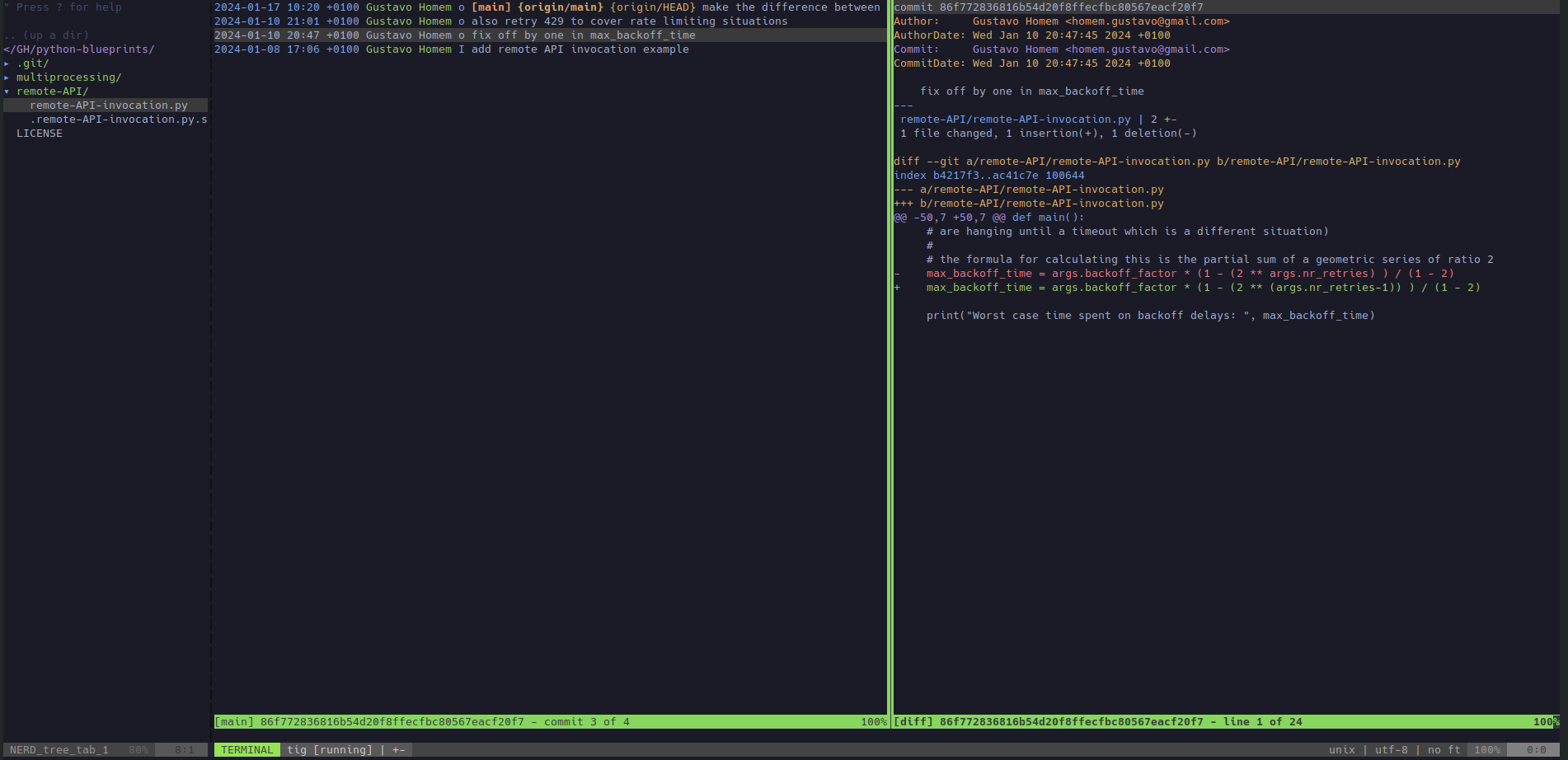
Laziest VIM provides an IDEalized Vim configuration that can be applied in 30 seconds. It is lazier than LazyVim and maximizes compatibility by requiring only standard VIM plugins. Laziest VIM is ideal for people that edit technical files across many remote computers and need to combine efficient file browsing with the power of VIM, without spending time configuring it. It extends Vim in a confortable way while respecting pre-existing muscle memory.
The Laziest VIM configuration includes:
Don't worry! Your existing .vimrc is automatically backed up during the installation.
Space - expands a directory, updating CWD / opens a file moving the focusEnter - opens a file keeping the focus on the file treeAlt + Right - navigates into the selected directoryAlt + Up - navigates to the parent directoryControl + t - opens tig for the current fileControl + b - opens tig blame for the current fileControl + y - opens tig for the directory of the current fileControl + f - greps recursively for a certain word, add -i to make the search case insensitiveControl + g - syncs the file tree with vim's CWD (in case you changed if with :cd or Space)Control + arrow - switches to the window in the corresponding directionControl + w w or Shift + Tab - cycles across the windows clockwiseF2 - maximizes the terminal window verticallyF3 - toggles the file treeF4 - opens a terminal in the directory of the current fileF6 - toggles the line numbersm - opens contextual menu for a file or directory in the file treer - refreshes the contents of the selected directory in the file treeq - closes results window opened by a plugin (file tree, tig, search)\c - comments a block of code if selected in visual mode using #\u - uncomments a block of code commented with # if selected in visual mode:cd - changes the current directory and refreshes the file tree:q - quits:wq - saves all files and quits
Blog post: An IDEalization of Vim
Repository: github.com/ghomem/laziest-vim
1. Why is the terminal in scrolling mode?
Shift+PageUp/PageDown sets the terminal to scrolling mode so that history can be reviewed (regular Vim search functions are available). If you finished reviewing terminal history you can get back to entering commands by pressing "i".
2. How do you update this website?
With Laziest VIM over SSH, of course.
This project is a small convenience layer created to scratch an itch. All real merit goes to the authors and maintainers of Vim, tig, and the plugins powering this setup: nerdtree, tokyonight-vim, lightline.vim, vim-fugitive, vim-puppet, tig-explorer.vim, and vim-grepper.